

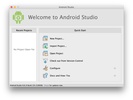

Android Studio is the official Google development environment for creating, testing, and publishing Android apps. Android Studio combines advanced code editing, device emulation, and AI-powered smart tools, all in a seamlessly optimized interface for the Apple ecosystem. With Android Studio, you can program in Kotlin, Java, or C++ using the graphical and performance capabilities offered by macOS, without needing to resort to virtual machines or external setups.
Optimized integrated environment for macOS
Android Studio is natively compatible with Apple Silicon processors, ensuring fast execution of both the IDE and Android emulators, reducing resource usage and improving compilation speed. You can also use multitouch gestures and macOS keyboard shortcuts to navigate more efficiently through the development environment.
Smart editing and adaptable design
With its advanced code editor, Android Studio helps you write and maintain clean code faster. It offers contextual autocomplete, automatic refactoring, and on-the-go error detection. Visual tools, such as Compose mode and the XML editor, enable the design of interfaces by dragging and dropping elements, while the real-time preview syncs changes for smartphone, tablet, TV, or watch screens. Performance analyses help you improve the stability and energy efficiency of your Android apps from macOS.
Optimized compilation and variant management
The Gradle build system allows you to manage multiple versions of the same app from a single project. Android Studio includes a build analyzer that detects bottlenecks and inefficient parameters and suggests adjustments to improve the workflow. Thanks to the optimizations for macOS, the packaging and deployment processes are faster and consume less memory.
Native Android emulators on macOS
With its advanced set of emulators, Android Studio allows you to test your apps on a wide range of Android devices, from smartphones and tablets to watches and TVs. You can adjust variables such as the operating system version, screen size, or network and battery conditions. MacOS users can also use native hardware acceleration to achieve smoother and more realistic emulation performance.
Contextual support and Gemini AI assistance
Gemini, the AI assistant integrated into Google, enhances your work in Android Studio by offering code generation, error correction, and personalized technical advice. From your Mac, you can take advantage of its suggestions to solve problems, create examples, or improve code snippets without leaving the editor. This intelligent assistance allows you to focus on the creative part of development.
Collaborative work and cloud development
Android Studio Cloud integrates features that allow you to access your environment from any Apple device via the browser and Firebase Studio. This allows for remote teamwork, keeping projects synced, and using Google's cloud services without needing to configure local dependencies.
Compatibility with App Bundles and simplified deployment
Full support for Android App Bundles makes it easier to publish and update your apps on Google Play, as it optimizes installation size and distribution. Additionally, the IDE offers tools to manage app permissions, resources, and versions securely.
Learning material and official documentation
From macOS, Android Studio includes a shortcut to guides, tutorials, and updated official documentation. Whether you're just starting out in Android development or already a professional, you'll find everything you need: Android SDK, compilers, dependency managers, and integrated debugging tools.
Download Android Studio for macOS and enjoy the most comprehensive environment for developing Android apps with maximum performance and ease on your Mac.
Comments
i am first time using